

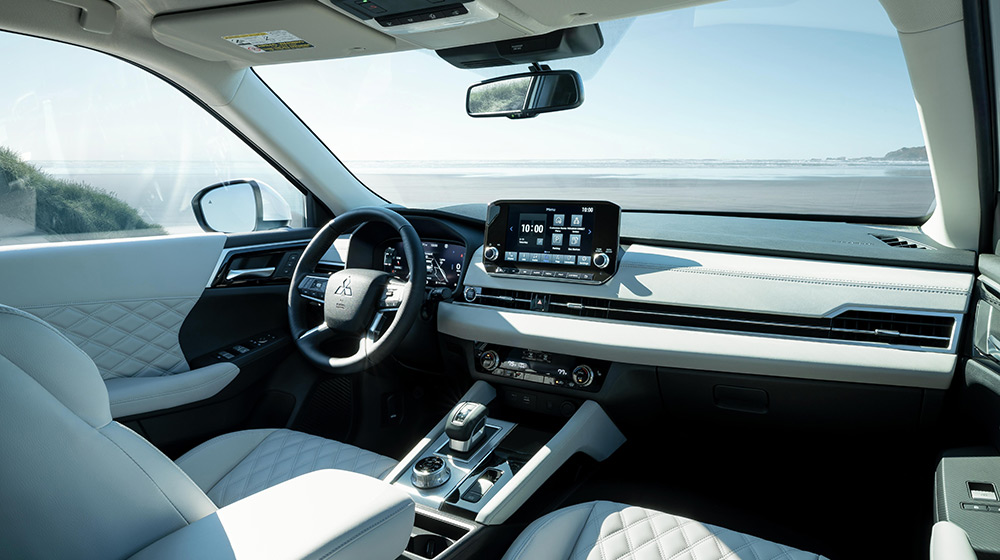
The latest Mitsubishi models are smart, connected, and designed to keep you in touch with the open road like never before. From remotely unlocking your doors to providing emergency assistance when you need it, MITSUBISHI CONNECT Services offer a wealth of helpful and intuitive features to improve your everyday driving experience. In this in-depth guide, we’ll take a closer look at what MITSUBISHI CONNECT is all about – from its Safeguard and Remote Services to the models that support it and the standout features that make it unique for Mitsubishi drivers.
What is MITSUBISHI CONNECT?
MITSUBISHI CONNECT is Mitsubishi’s connected car platform – essentially a combination of on-board technology and cloud services that work together to keep you safe and connected on the road. It’s provided through a simple subscription-based setup and consists of a few key components working in harmony:
- Built-in Telematics Unit: Every MITSUBISHI CONNECT-equipped vehicle has an embedded telematics control unit with a 4G LTE cellular modem and GPS. This is factory-installed in the car and allows the vehicle to communicate over cellular networks for data and emergency calls. In other words, your Mitsubishi has its own “phone” and GPS built in, enabling it to send/receive information even when your smartphone isn’t directly connected.
- In-Car Control Buttons: Look up at your Mitsubishi’s overhead console and you’ll find two special buttons. One is a red SOS emergency assistance button for urgent situations, and the other is an Information/Roadside Assistance button (often depicting an “i” or a call symbol) for non-emergencies or service needs. With a single press, you’re connected to a live agent at the MITSUBISHI CONNECT call center who can dispatch help or answer questions.
- My MITSUBISHI CONNECT Mobile App: To put remote control in the palm of your hand, Mitsubishi offers a smartphone app (for Apple and Android devices). This app lets you interact with your vehicle from virtually anywhere – whether it’s locking the doors from your office, starting the engine from your kitchen, or checking fuel level while you’re out and about. The app is your command center for the MITSUBISHI CONNECT Remote Services.
- Cloud Services and GPS Integration: All MITSUBISHI CONNECT features work via wireless communication networks and GPS. This means the services can locate your vehicle and send data back and forth over the air. Even if you don’t know exactly where you are, the system does – a crucial factor in emergency situations or when using features like vehicle finder or stolen vehicle tracking. (Do note that extremely remote areas or concrete garages with no signal might affect connectivity, but in most of your daily driving areas, coverage is robust.)
Mitsubishi has divided the CONNECT features into two main categories for simplicity. Safeguard Services are all about safety and security – providing help in accidents, emergencies, or other urgent situations, 24 hours a day, 7 days a week. Remote Services, on the other hand, focus on convenience and vehicle control – allowing you to interact with your car via your smartphone (or even through voice commands using smart speakers) when you’re away from the vehicle.
Safeguard Services
The Safeguard Services provide a plethora of helpful features to keep you safe while out on the road. In the event of an accident or emergency, a press of the SOS button located in the cabin will have you connected to the MITSUBISHI CONNECT Emergency Response Center. For roadside assistance, drivers do not need to know the location in order for help to arrive, as your agent will be able to locate your car in real-time.
In the event of an extreme collision, the vehicle will automatically send an emergency call to the MITSUBISHI CONNECT Emergency Response Center. Once connected, information on your vehicle’s location and condition will be sent to the Emergency Response Specialist, ensuring the proper authorities are contacted and sent your way.
Remote Services
The Remote Services can be accessed via the MITSUBISHI CONNECT app. The Smart Remote Start allows you to remotely start or stop your vehicle’s engine and will automatically adjust the cabin temperature, ensuring your optimal comfort. The Remote Door Lock/Unlock will lock or unlock your doors and automatically relock the doors after 30 seconds.
Additionally, MITSUBISHI CONNECT will send alerts based on the scenario. The Curfew Alert will send a notification to your phone when it detects your vehicle being driven outside a specified time slot. Geoference Alerts will engage when the vehicle is detected driving outside a predefined geographical area.
Which Mitsubishi Models Support MITSUBISHI CONNECT?
By now, you’re probably wondering if your Mitsubishi has (or can have) this technology. MITSUBISHI CONNECT is available on most of Mitsubishi’s recent models, and it’s increasingly common on new vehicles going forward. As of now, the supported models include:
- Mitsubishi Outlander (2022 model year and newer): The completely redesigned 2022 Outlander was among the first to introduce MITSUBISHI CONNECT in the U.S., and every model year since has the option. This includes the traditional gasoline Outlander and the latest editions like the 2025 Outlander.
- Mitsubishi Outlander Plug-in Hybrid (PHEV) (2023 model year and newer): The Outlander PHEV, which arrived after the Outlander redesign, also supports MITSUBISHI CONNECT on recent models. This means you get all the remote functionality plus the EV-specific features for charging and battery we mentioned.
- Mitsubishi Eclipse Cross (2018 model year and newer, select trims): Mitsubishi introduced the Eclipse Cross SUV in 2018, and select trims from 2018 onward are equipped with the CONNECT system. In practice, it’s typically the mid to upper trims of the Eclipse Cross that have the telematics hardware. By the 2024-2025 model years, many Eclipse Cross models include it (especially as Mitsubishi updates the tech across the lineup).
Notable Features That Make MITSUBISHI CONNECT Stand Out
All major car brands today have some form of connected services, but Mitsubishi has worked to make sure MITSUBISHI CONNECT offers a few extras that truly benefit owners. We’ve touched on many of these already, but to summarize some standout or unique capabilities:
- Ignition Block for Stolen Vehicles: The newly added ability to prevent a stolen car from being restarted once shut off (available on the latest Outlander) is a game-changer in vehicle recovery. Not all automakers offer this level of intervention. It shows Mitsubishi’s commitment to not just locating a stolen vehicle, but actively stopping thieves from getting away with it.
- myQ® Connected Garage Integration: MITSUBISHI CONNECT can integrate with the popular myQ smart garage door system on certain models. This means if you have a myQ-connected garage door at home, you can link it with your Mitsubishi’s app and even control or check your garage door status through your vehicle’s infotainment (via Android Auto/Apple CarPlay) or the CONNECT app. For example, you could ensure you closed your garage door after leaving, or open it for a family member, right from your car’s interface.
- Voice Assistant Compatibility: As mentioned, the ability to use Alexa or Google Assistant voice commands to interact with your car is a standout convenience. Many brands are just starting to offer this (and some still don’t), but Mitsubishi has made it possible to control your car with simple voice requests.
- Comprehensive Alerts and Remote Customization: The range of alerts (speeding, curfew, geofence) and the depth of remote controls (scheduling climate start times, checking window status, etc.) show how Mitsubishi Connect isn’t just an on/off remote starter, but a holistic vehicle management tool. Some systems might offer remote start and lock/unlock, but Mitsubishi goes further with things like window open notifications or scheduling a daily engine start.
- Integrated Navigation and Final Destination Guidance: The ability to send destinations to your car from your phone and get last-mile walking directions after parking is a thoughtful addition for drivers who frequently navigate new places. It marries your smartphone and car in a way that feels seamless – you use whichever screen (phone or dash) is most convenient at the moment.
In essence, Mitsubishi has packed CONNECT with available features that not only match what competitors do but also add a few tricks of its own, all aimed at making ownership easier and more secure.
In the connected world of today’s automobiles, Mitsubishi is making sure you’re not left behind. MITSUBISHI CONNECT gives you convenience, control, and peace of mind at levels that once seemed futuristic. It’s all part of Mitsubishi’s commitment to a better driving experience. Want to learn more? Feel free to reach out to us for more information – we’re always happy to assist our customers in discovering all the features and benefits of their Mitsubishi vehicles. Here’s to driving smart and staying confidently connected!
Connect with us


Recent Blog Entries
- Discover the 2026 Mitsubishi Outlander: Confidence Comes Standard
- Discover the 2026 Mitsubishi Eclipse in Hollywood, MD
- Discover the 2026 Mitsubishi Outlander: Your Ideal Family SUV
- The 2026 Mitsubishi Eclipse Cross: Redefining Compact SUVs
- Introducing the 2025 Mitsubishi Outlander: Versatility Meets Comfort